- Version Control Is a Nightmare
‘Which file is the latest version?’ is a question no quality manager should ever have to ask. But with Spreadsheet -based Quality Management, spreadsheet Files get saved as ‘Control_Chart_Final_v3_REVISED_USE_THIS’ and shared via e-mail. Someone edits the wrong version or wrongly edits the final version, Data is lost for ever. Decisions made on the basis of those data can lead to undesirable consequences in terms of cost, time, re-work or customer confidence. A Visible system with History of Versions and Revisions is the need of the Hour
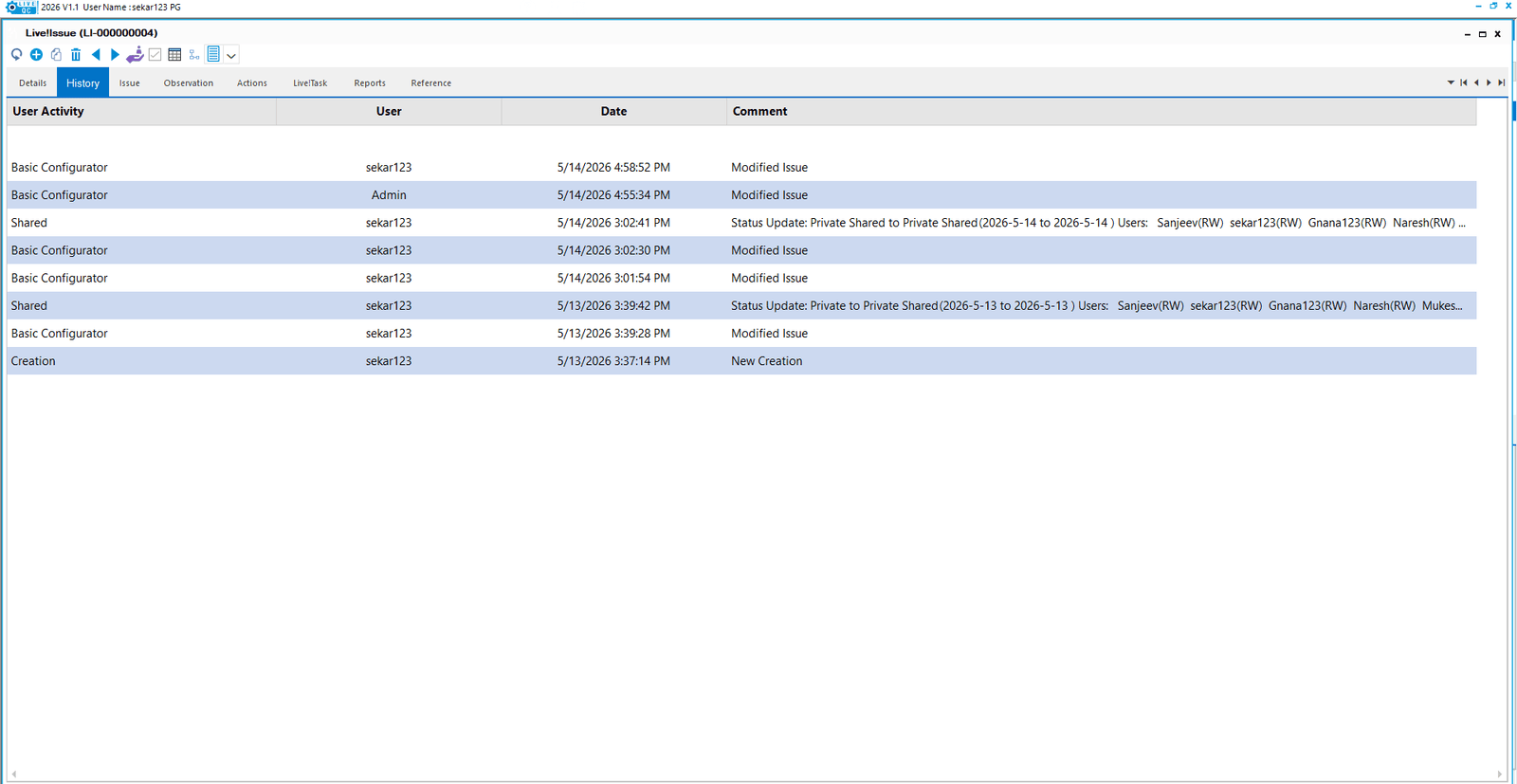 Version History in Live!QC Tools Software
- There’s No Real-Time Visibility
When your quality manager wants to know what is happening on the shop floor and how the issues are getting resolved – right now, a Spreadsheet-based system requires someone to physically open files, consolidate data, and compile a report. That takes hours, if not days. Management Review Meetings based on such data can lead to erroneous insights, wrong decisions and costly mistakes. Progressive organizations are avoiding this using Digital Platforms. Dynamic Dashboards with up to date information eliminates errors, re-work, wrong decisions and customer fallout.
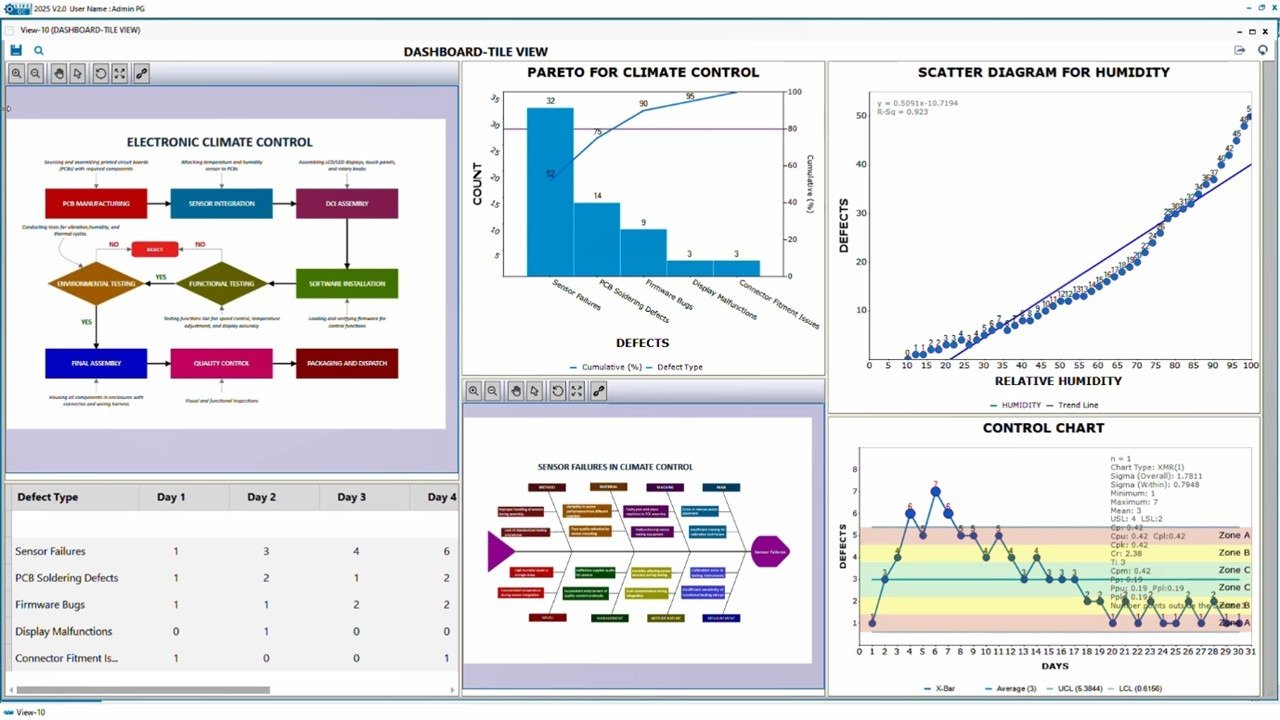
Dashboard in Live!QC Tools Software
- Collaboration Doesn’t Scale
Quality management is a cross-functional activity. Engineering, Production, Quality, Procurement, Supply Chain and Management need to be involved. Spreadsheets were not built for simultaneous multi-user editing and workflow management. You end up with siloed data, missed actions, and accountability gap.
- Audit Trails Are Weak
ISO 9001 and IATF 16949 require traceability. Who raised this non-conformance? Who approved this corrective action? When was it resolved? Was the CAPA really effective? Proving this from Spreadsheet files during an audit is painful at best, and sometimes impossible if files were overwritten. Today Customers are demanding with a Single Click in each audit, all processes, data, evidences and approvals. In fact, Customers tend to raise NC for not maintaining a digital thread!
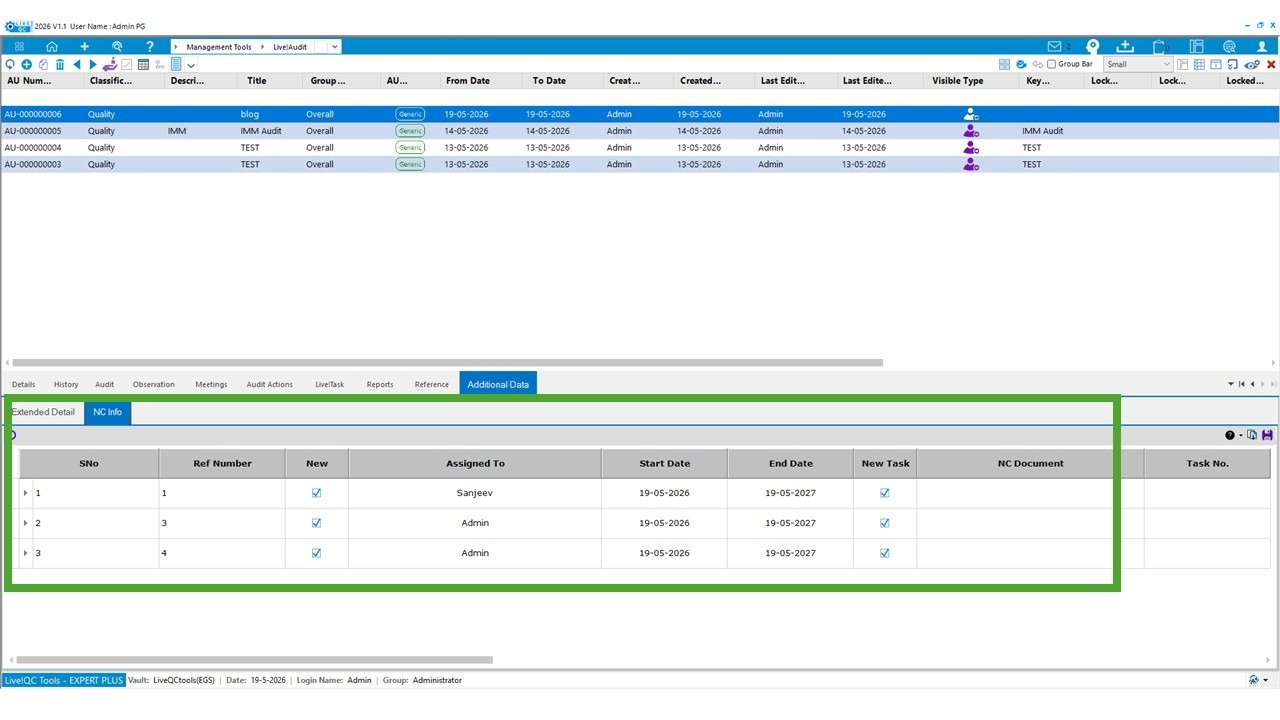
Audit- NC Management in Live!QC Tools Software- Data Analysis Is Manual
In Spreadsheet, every MSA study handles – manual calculating R&R metrics, and rebuilding charts from scratch every single time, with zero guarantee of consistency. Responsible persons want easy to use system where in, by giving trial data once as input, the system automatically delivers the complete ANOVA analysis, R&R metrics, and variety of charts – with a clear inferences. No errors. No rework.
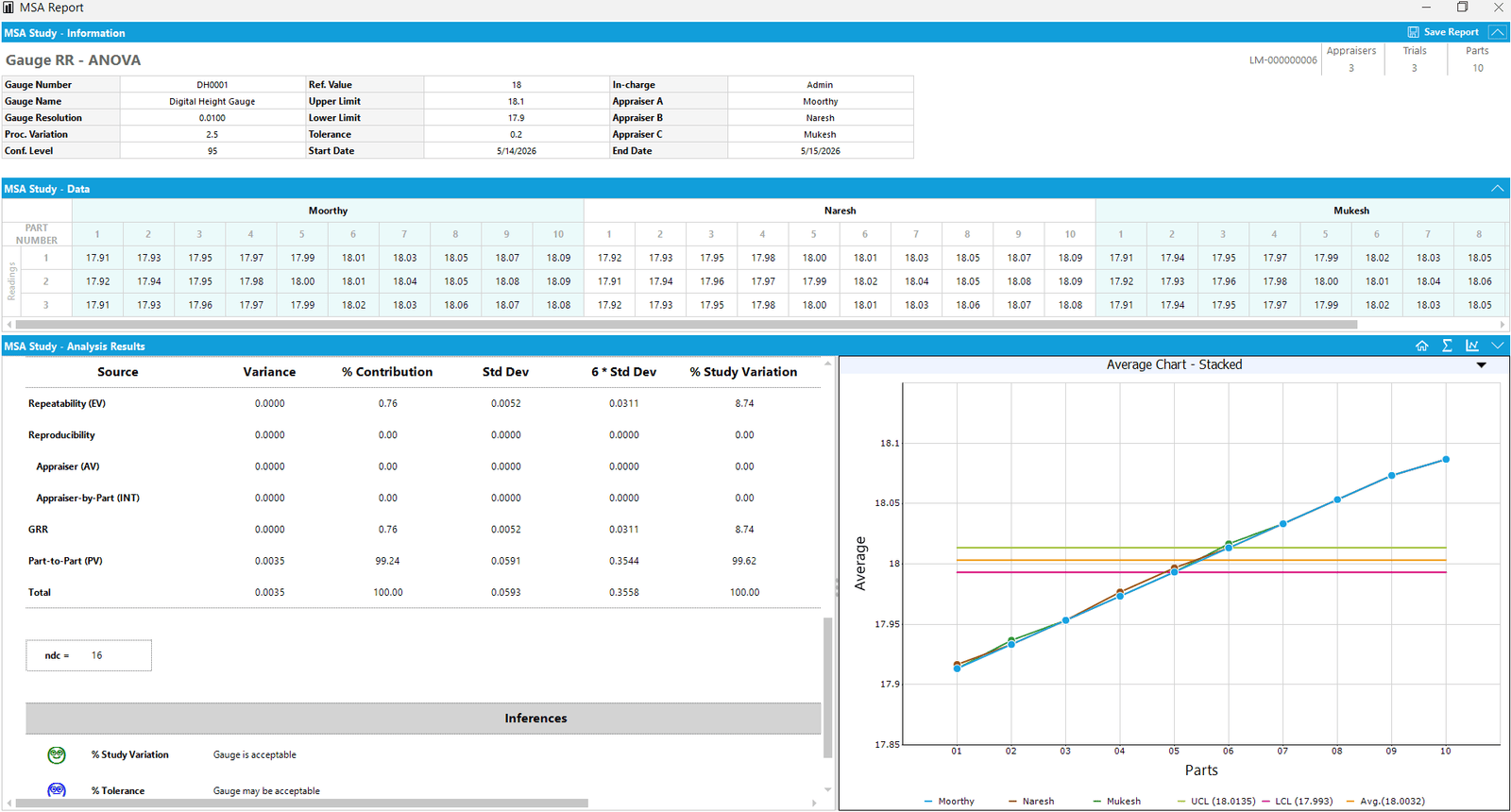
A MSA Study Analysis Using Live!QC Tools Software
- It Doesn’t Scale with Your Team – Unable to learn from past data and history
When you add a new quality engineer, they need to understand your entire folder structure, naming conventions, and formula logic. Onboarding someone into a Spreadsheets -based quality management can take weeks. A Centralized Quality platform with structured flow ensures that everyone is in sync and a new employee hits the ground running on day one.
What Changes When You Move to a Digital Quality Platform
Here’s what manufacturing teams consistently report after making the switch:
- CAPA closure time reduces by 30–50% because actions are assigned, tracked, and escalated automatically.
- Audit preparation time drops significantly — all records are in one place with complete traceability.
- Quality data is always current — no more ‘let me check the latest file’ before a management review.
- Cross-functional teams actually participate in quality processes because the system makes it easy to raise issues, assign actions, and close them out.
- Management gets a real-time view of quality performance without waiting for someone to compile a report.
But We’ve Built Everything in Spreadsheet Already…
This is the most common dilemma that any Digital Transformation initiative faces. And it’s valid — transitioning away from a system you’ve spent years building feels difficult.
The good news is that modern Quality platforms are designed to derive existing data from Spreadsheets and CSV files. You don’t have to start from scratch. Your historical data, your quality records, your control charts — they can all be reused during transition to a Digital Platform so that the change is smooth and easy.
The transition is also gradual — most teams run both systems in parallel for the first month earning the trust and approval of the stakeholders in the Company.
Spreadsheet is a grid. It was never meant to be your QMS